Repeating to-dos just got far more flexible, with two highly requested improvements: You can now complete them early, and easily reschedule them when plans change! Plus many more refinements throughout. Available now in Things 3.23.

Repeating to-dos are great for managing the routines in your life. There are two kinds. Some to-dos repeat regularly on a fixed schedule – for example, a weekly chore, a monthly bill, or a yearly birthday. Other to-dos repeat only after you complete them, such as watering the plants a few days after the last time, or getting a haircut a few weeks after the last one. Once you’ve set up the repeating rule you want, you can rely on Things to surface the next copy on the right day, making sure that nothing slips.
Today, we’re happy to introduce two great new features that make repeating to-dos more flexible and easy to use.
Complete them early
Sometimes you’re on a roll and want to knock things off ahead of schedule. Now you can! Repeating to-dos now show a regular checkbox, just like any other to-do – simply click or tap it to complete the repeating to-do early. Things will then schedule the next copy based on its existing rule.
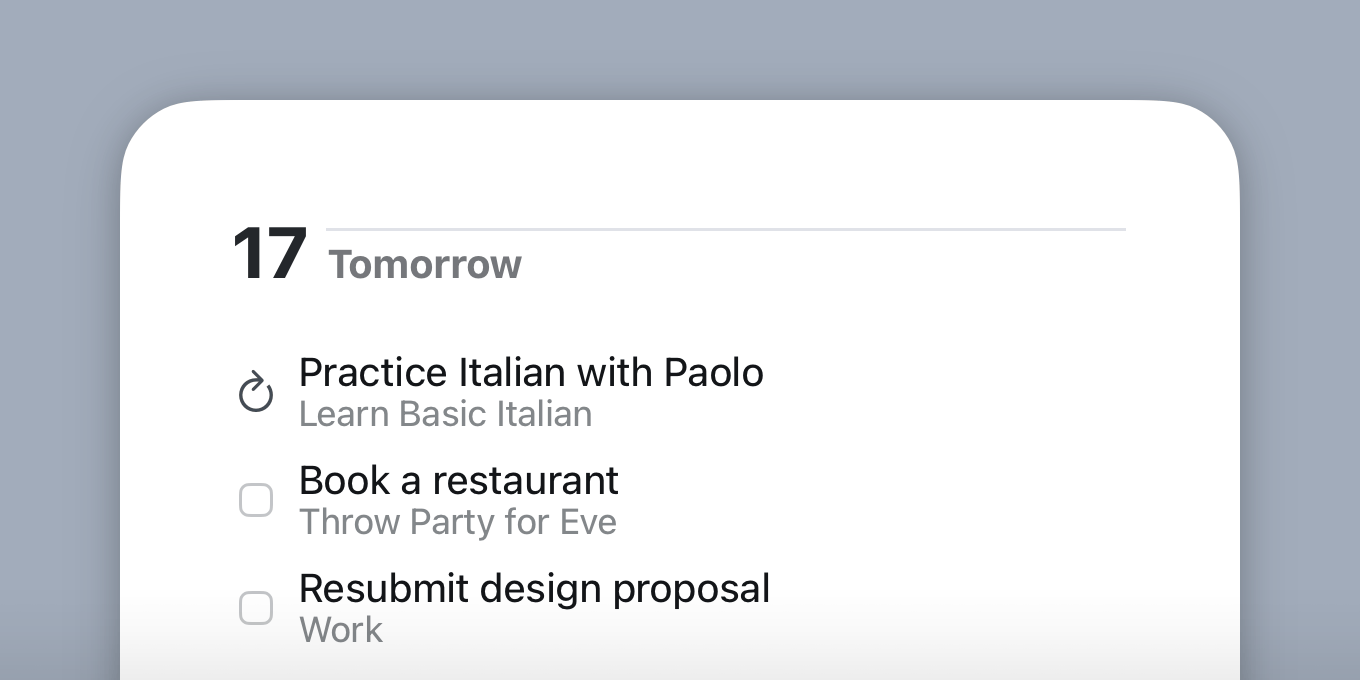

Reschedule them with ease
Plans change all the time, and now your repeating to-dos can easily adapt. Simply move one to a new date to reschedule it, just like you would with any other to-do.
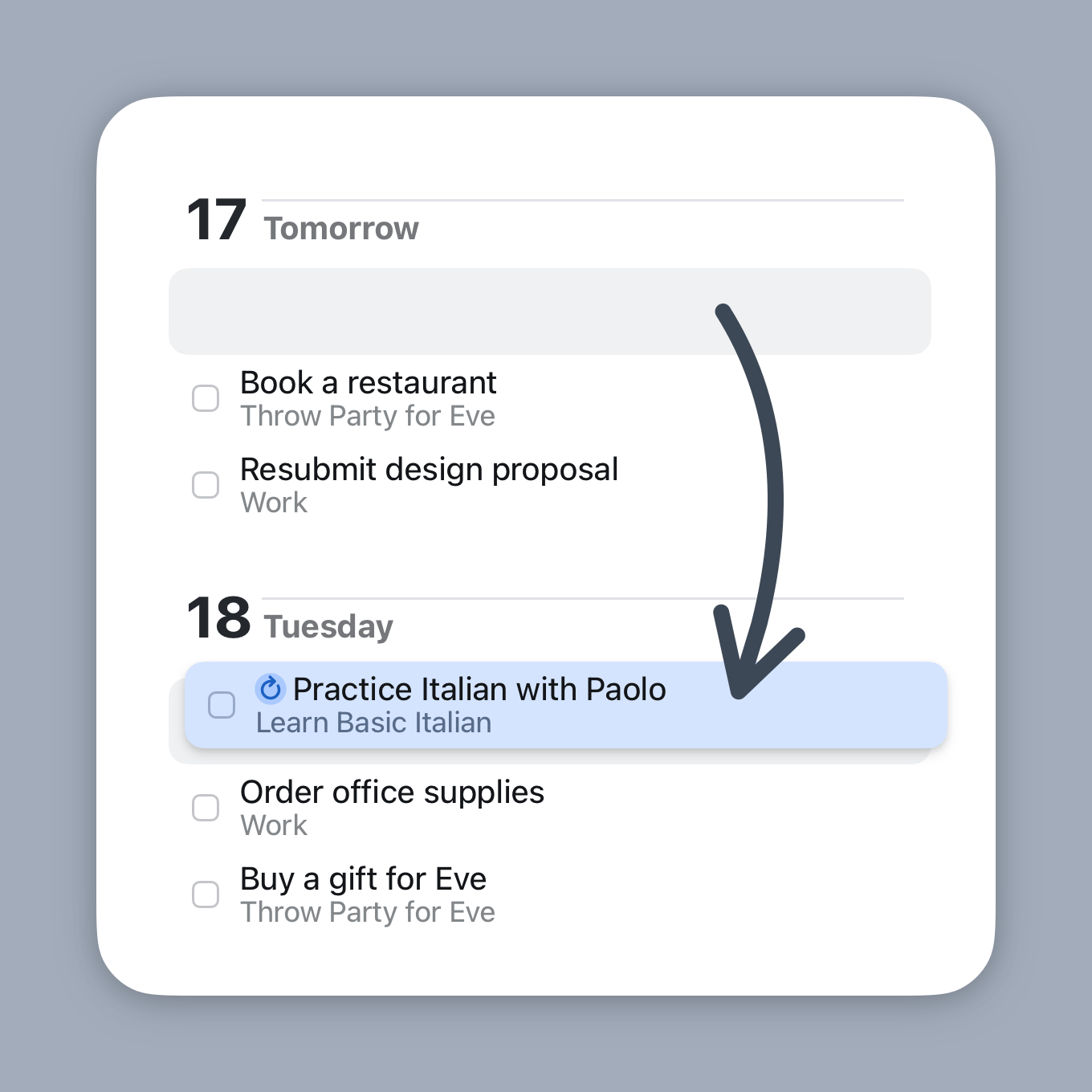
If a to-do repeats regularly on a fixed schedule, moving it breaks the pattern. So you’ll need to make a choice:
- Make Exception. This moves just this one copy to the new date, leaving the rest of your schedule untouched.
- Update Rule. This changes the repeating rule itself, so that all future copies follow the new date. For example, say a to-do repeats every Monday. If you move it to Tuesday and choose Update Rule, it will repeat every Tuesday from then on.
If the to-do repeats after completion, there’s nothing to decide – it simply moves to the new date, no questions asked.
See them all in one place
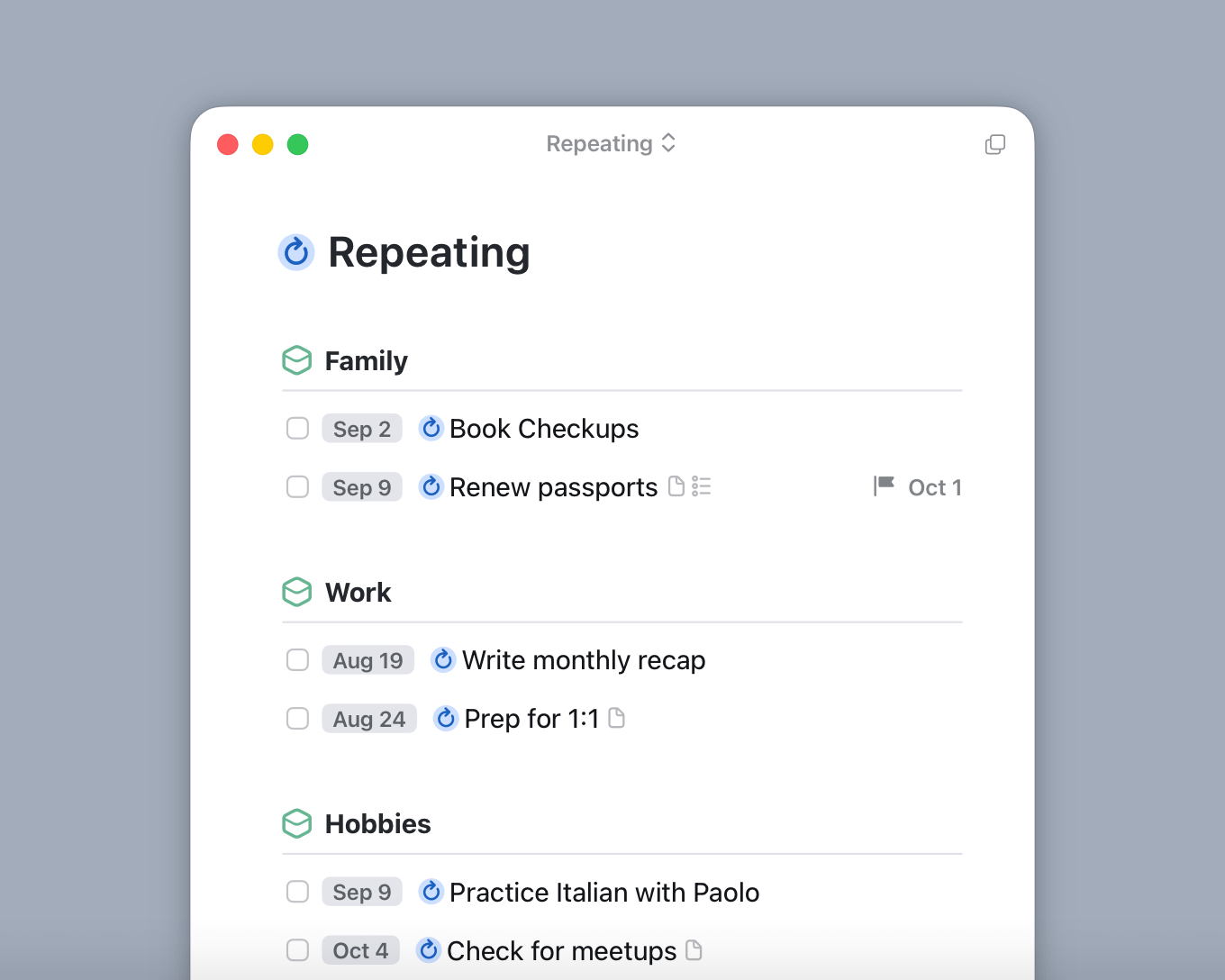
Did you know Things has a handy list that gathers all your repeating to-dos and projects in one place? It’s a great way to quickly view your setup and make a few tweaks.
To access the list, type “Repeating” into Things’ search field and select it from the results. The list will show the repeating to-dos themselves, and also any upcoming copies they’ve generated.
And more
You’ll also notice refinements throughout:
- Sometimes you don’t just want to complete a repeating to-do early – you want to work on it ahead of time, adding custom notes or completing checklist items before its scheduled date. Choose Repeat → Create Next Copy to get started early.
- The same goes for repeating projects. Create the next copy early so you can start adding, editing, or completing to-dos inside of it.
- All generated copies of repeating to-dos now show a little grey repeat icon, so you can tell where they came from.
- The repeating to-do setup dialog has a fresh new look, and makes it easier to pick the date for the next copy.
- You can now pause, resume, and stop multiple repeating to-dos at once.
Last but not least, this update includes a big change under the hood, one we’ve been working on for some time: the display and editing of to-dos is now driven by the same code across Mac and iOS.
Things 3.23 is available now as a free update on the App Store for Mac, iPad, and iPhone. We hope you enjoy the new features!
This update requires at least macOS 13.3, iOS & iPadOS 16.4, watchOS 9.1, and visionOS 26.